Overview
- Local development environment set up
- Docker installed on macOS
- Google Cloud SDK (gcloud CLI) installed and configured
- GCP project with billing enabled and Container Registry enabled
- Service account with appropriate permissions
Local Development
Bash
Bash
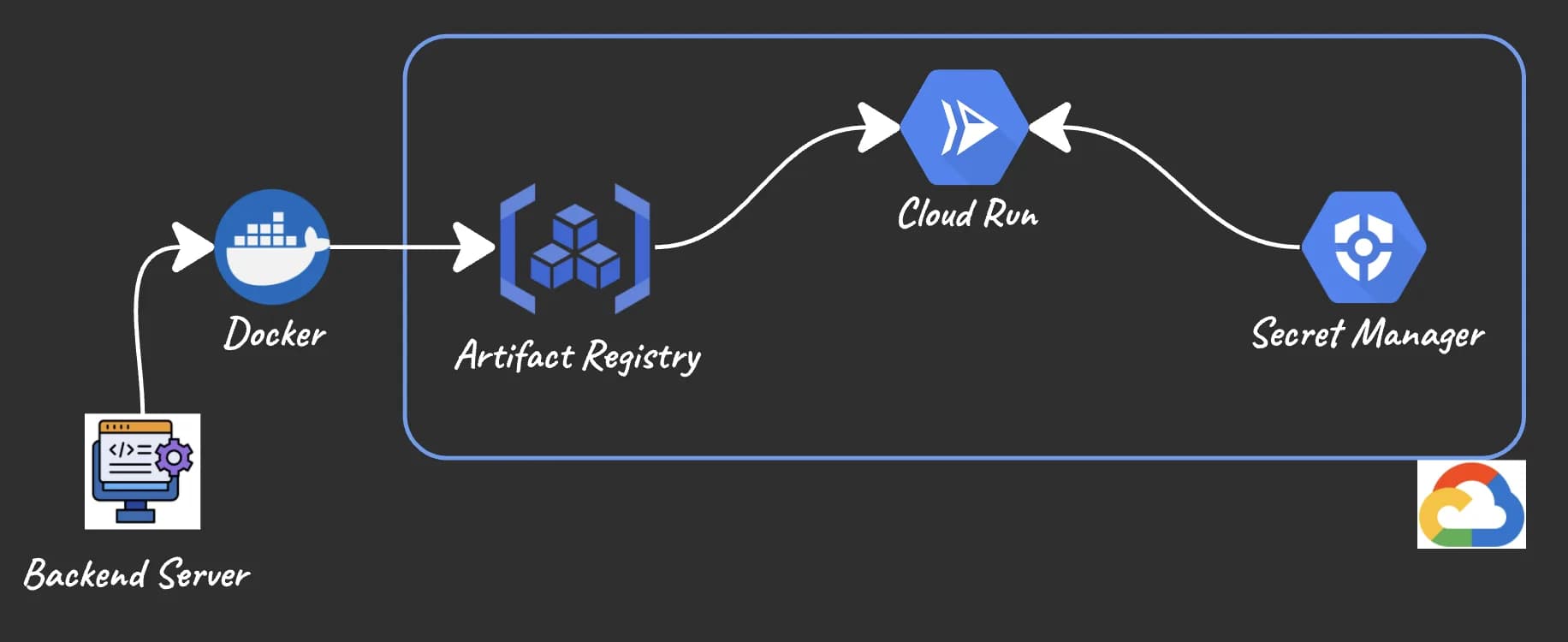
Containerization
Dockerfile
- Multi-stage builds reduce final image size by excluding build dependencies
- Slim base images minimize attack surface and improve cold start times on Cloud Run
- Non-root user improves security posture
- Health check enables Cloud Run to monitor container status
- Port 8080 is Cloud Run's convention (important for deployment)
Bash
Multi-Architecture Builds
Why Multi-Architecture Matters
Building for Multiple Architectures
Bash
Bash
- --platform linux/arm64,linux/amd64: Builds for both Apple Silicon (ARM64) and standard cloud infrastructure (AMD64)
- -t gcr.io/YOUR_GCP_PROJECT_ID/my-app:latest: Tags image for Google Container Registry
- --push: Directly pushes to registry instead of saving locally
Cloud Run Deployment
Bash
Bash
- --platform managed: Fully managed service (Google handles infrastructure)
- --memory 1Gi: Allocate 1GB RAM (adjust based on your app needs)
- --cpu 1: Allocate 1 vCPU
- --timeout 60: Request timeout in seconds
- --min-instances 1: Keep 1 warm instance (avoids cold starts; increases costs)
- --allow-unauthenticated: Allow public traffic (remove for private services)
- --set-env-vars: Pass environment variables to your application
- --service-account: Use specific service account for better security
Bash
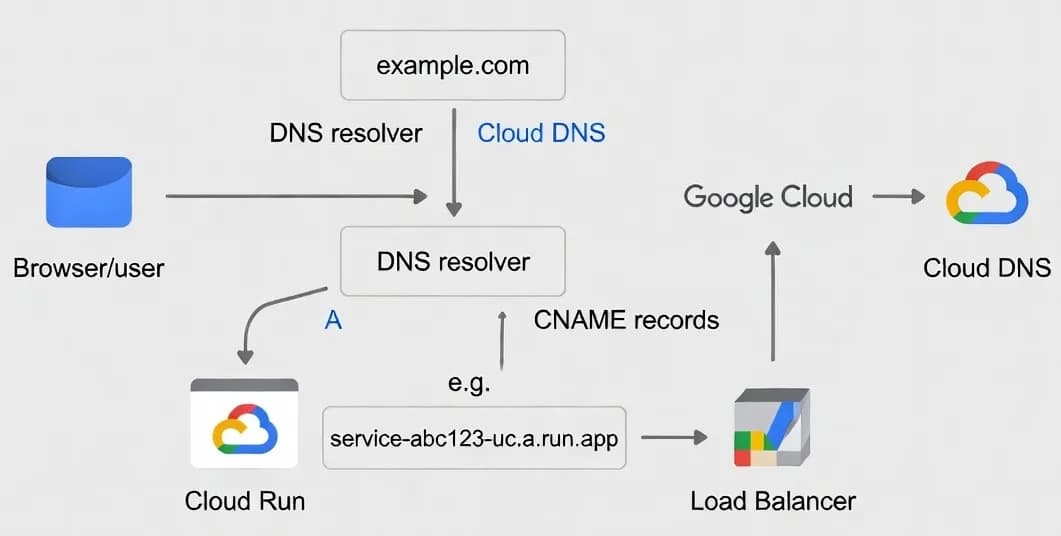
Domain Configuration
Bash
CI/CD Pipeline
Yaml
Troubleshooting
Bash
Bash
Bash
Bash
Production Checklist
- ✅ Application tested thoroughly locally
- ✅ Dockerfile optimized (multi-stage, minimal base images)
- ✅ Multi-architecture build tested and working
- ✅ Environment variables and secrets properly configured
- ✅ Health check endpoint implemented
- ✅ Cloud Run service deployed and responding
- ✅ Custom domain mapped with DNS records configured
- ✅ HTTPS working on both apex and www domains
- ✅ CloudRun logs monitored and alerts configured
- ✅ Appropriate min/max instance settings based on expected load
Key Takeaways
- Develop locally first: Test thoroughly before containerization
- Architecture matters: Multi-platform builds ensure your app runs on any infrastructure
- Security first: Non-root users, minimal images, proper secrets management
- Cloud Run conventions: Use port 8080, implement health checks, handle environment variables
- Automate deployment: CI/CD pipelines reduce manual errors and enable faster iteration
- Monitor production: Set up logging and alerts to catch issues early